|
|
||
|
The |
Cell Phone & Notebook |
Online Connection |
|
and Portable Power |
Links updated 2021 |


|
|
Hardware Cost |
|
|
|
Discussion, Analysis, Opinion Portable Power Cellular And Power Links, Reviews and Articles |
|

|
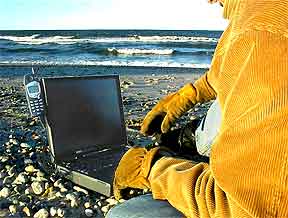
October 20, 2004: This was originally written in 2001. A lot has changed since then. Much of what you might read about the cellular technology further down is obsolete (dated 2001), but I leave it in because it still may have meaning to some people, if only for historical purposes. Today you can carry your 802.11x enabled notebook into a number of establishments, sit down and connect to the internet wirelessly. Likewise PDAs, etc.. Though I refer to Nokia in my article below, I've learned enough to say "Don't buy Nokia". Nokia is (in 2004) too proprietary – meaning that 3rd parties find it difficult to develop applications and hardware (cables, cards, etc.) for manufacturers that keep the necessary specs a secret. Do a search for "cables pc to phone" and find out which phones are 3rd party friendly. Go for those that provide numerous selections – such as Motorola or Erickson. I chose a Samsung x426 because AT&T was providing it for free and especially because there was an indication that it was data capable. In this case, that indication was found in the "Details" list where it said "Technology: GSM/GPRS". Perhaps they all say that; I don't know – but it was free and a search for "Samsung x426 reviews" suggested that it might work out okay. GSM is a new technology that AT&T and probably the others are pushing. It is a good thing; go for it, especially while the promos are still good – such as free replacement phones. Make sure your plan includes "Roaming", though I believe that is now de facto – and free "Nights & Weekends". GPRS is another new technology that requires GSM. Make sure that the new phone can handle GPRS. Recently I've been leaning towards getting rid of my land line phone and going solo cellular, subscribing to cable internet to go online. What's held me back is lousy cellular reception in my home (still looking for an antenna that really boosts the signal as I harass AT&T to install a new tower) and the cost - including the $19.95/mo. ISP to connect by dial-up when I'm away from my cable enhanced home. Well, turns out, the latter is not necessary. Enabling your PC and cell phone to work with the GPRS technology is daunting, but once you get it working, you discover that you can connect quickly and seamlessly with no ISP involved. In fact it was so seamless and quiet that, at first, I didn't even know I was connected, but I found that I could download my email and navigate web sites. However, though the connection is nearly instantaneous, the downloading and navigation is slower then a normal dial-up (that should improve as they refine the technology). But then that's okay if you are out in the field (literally) with no wires available. You still have to pay the normal cellular fee of $43 or more, plus excess minutes if you go online between 7:00 am and 9:00 pm and use up your allotted minutes. Then there is the $73 for the cable internet and minimal TV package. But subtract the $20 ISP charge, the $15 cable TV only charge and the $40 land line phone charge. When I get a chance, I'll pull together a description of how to get the GPRS system working. If you need to know now, send me an email and that will induce me to go to work on it before I forget how it was done. |
|
Note: The author tends to stray into whatever else he thinks matters in life (it is occasionally insightful and interesting). |


|
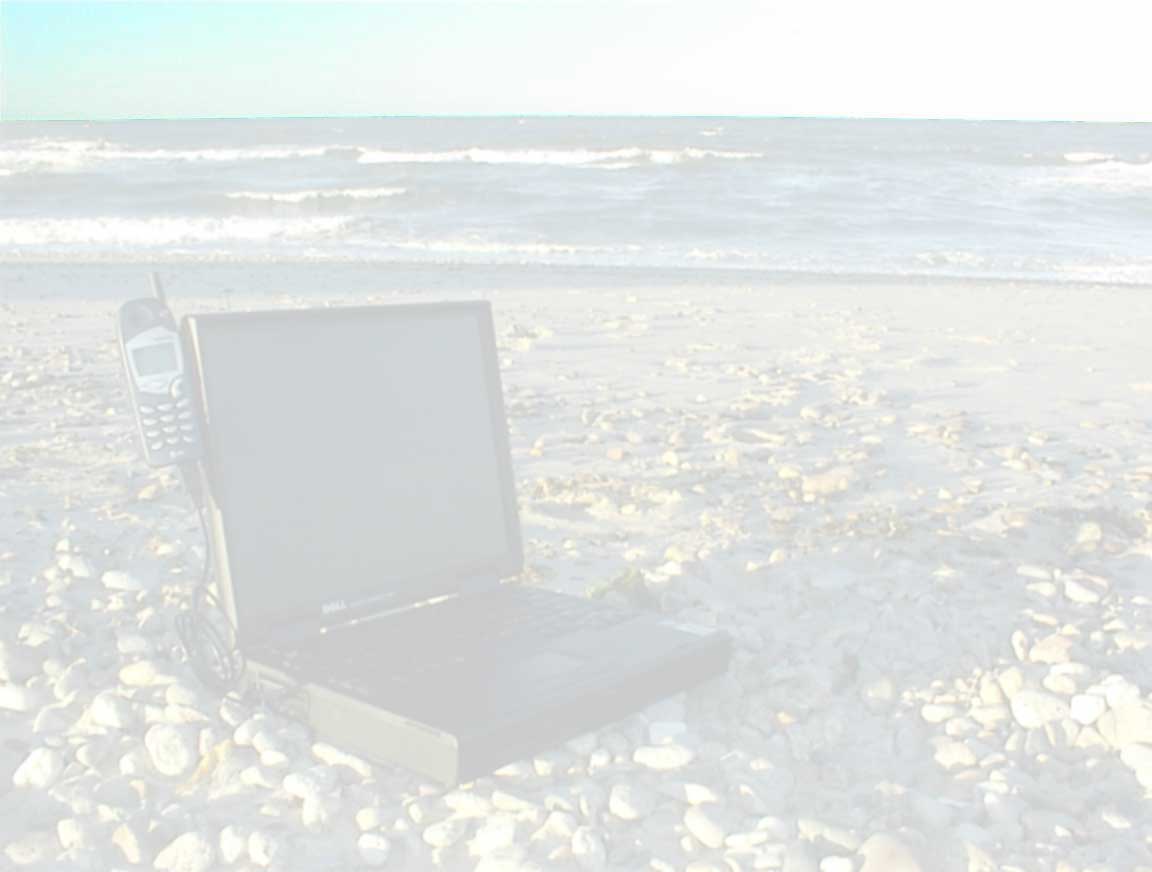
October 25, 2001 We live on the cold, desperate and barren island of Cape Cod (I have no clue as to how those north of us survive – Massachusetts, New Hampshire, Vermont, Maine, Canada, Nova Scotia – but I gather they do). It is 29º out as I type this. From December to March, it will probably dip below 0º now and then. We have braved these bitter wet winters, cold waters and gale force nor'easters for many-a-year. That is about to end; we are on our way to the sunny great state of California, or by the time you read this, we will be. Our 4x4x8 box trailer is packed with equipment and clothing as it sits in our driveway waiting to go – it has been that way, as we have been consequently living out of our packed suitcases, for over a month. We are ready! Mo has been giving us that "What's going on/Can I come??" look as he knows something is up. Missy just lays by the radiator trying to stay warm. In about two weeks, we should be on our way – the four of us, Missy, Mo, Eileen and myself, all of us near-seniors (I don't know how that happened). We'll connect with my daughters, Brianny and Darby, over dinner before we go. We'll head west, stopping in New Jersey to visit my sister Hannah and her grown kids Ginny and John - then south to Chattanooga, TN to pick up a 700-16 spare tire and tubes for the box trailer (they were that hard to find) - west to Tempe, AZ to visit with Eileen's grown kids Jody and Sarah - then over the border and up the mountain to Joshua Tree, our destination. We'll stay at The Joshua Tree Inn for a week or two. I have some land in JT, 10 acres of a rock covered hill purchased 30 something years ago. Though some of my neighbors are fully equipped, my place has no electric, no water and no telephone, and the cost of bringing them in is prohibitive - $5000 for the electric company to even talk to me. Therefore we bring with us a 5000 Watt generator, a 600 Watt inverter (converts the van's 12 volt DC to 110 volt AC), lots of batteries, propane, and various propane heaters, lamps and stoves, most purchased new on eBay. There are also about 40 clean milk jugs we'll fill in town with water. We'll also have our notebook and cell phone, so I can sit on any rock on my hill and check our email. There is a home, of sorts, on the land – an old 19.5' Branstrator trailer I renovated 30 years ago and a large steel 260 gallon water tank on an iron stand which I happened upon in Costa Mesa when a laundromat was being refurbished. I was in college at the time, Orange Coast College, fresh out of the Marine Corps. The box trailer that we are about to tow west is the same one that carried that tank up to JT, although it has been rebuilt a couple of times (including this summer). For that matter, it was a home-made job to begin with, though I don't know who made it. I found it in a field on Balboa Island (yes, it had fields then) and did $35 worth of work for a local realtor, Harvey D. Pease, to pay for it. We had visited there briefly in January. I looked at it, took some shaky pictures and left; I could not handle any more then that. The renovated Branstrator had become totally de-renovated during the unexpectedly demanding and challenging decades of family, homes, jobs, businesses, divorce and destitution back east. All of those experiences made me who I am today and gave me two lovely daughters to love and enjoy (usually), so I am grateful for them, but my previous love fell to ruin. So it is time to start over, but this time with portable power, water and phone. I have designed a comfortable prospective addition to the Branstrator, but first I need to clear a new site of rocks and boulders, move the water tank uphill to the highest level of that clearing to get water pressure, and then the trailer to a lower level. I have a 12 ton jack, a winch and a few pry bars for that. After the tank is moved, we'll have it filled. After the trailer is re-renovated, we'll move into it. This is getting into another story which is already documented in the Joshua Tree area of this web site. More info will be added there as our new story develops, using our cell phone to upload it of course. |

2025: Grafstick Tape & Label is no longer in business The images below are clickable
|
||||||||||||||||||
|
June 15, 2002 It did not quite happen that way. We were thoroughly punished for my arrogant reference to the cold Northeast. For much of our stay, Joshua Tree was colder then back east. Eileen flew back in March to some nice weather. I returned June 1, 2 weeks ago. It is 40 degrees out as I write this; cold and wet. The cold is following me. I apologize; I was wrong - please remove the hex! We did not go for the tire. Instead I ordered a spare tube which came in the mail. In Tempe, the box trailer lost its axle which was replaced immediately at Harvils Auto Body, an old-time family business that obviously prides itself on quality workmanship at a reasonable price. Where we pulled off the road and the hub literally fell to the ground was, by chance, in their driveway. Upon arrival, we stayed one night in The Joshua Tree Inn, very nice, and then commenced six months of living in the van. We could have done a quick and dirty job on the Branstrator, just to move into it, but we decided to do it right. That meant first installing a water system and clearing a new site. That took nearly 4 months. The actual renovation, primarily the exterior, took almost 2 months. It is not done but it is tight and clean; we can live in it now and enjoy that experience in relative comfort. We will probably not be able to add the addition I designed due to county restrictions on trailers. They want to get rid of them; not improve them. Mine can stay because it was there before the law, but that's about it. The cellular-notebook combo was nearly flawless, though slow, and we learned a few things about the kind of bills you can get if you are not on the right service plan. Due to bandwidth restrictions, the phone cannot connect at greater then 9600 bps. Compare that to the roughly 56000 bps that most dial-ups enjoy today. However, it was not six times slower; maybe about half as fast.
We had been hit by "roaming" charges. If I recall correctly, the original salesman had indicated that this would be "no problem". We had free long distance and thought that would do it. When I called and complained, they added free roaming to our service plan at no additional charge.
It has remained in the $44 range since in spite of fairly extensive night-time uploading. We almost never had any connection problems with AT&T. For some reason the exception was in Tempe; we could not connect at all. (In subsequent years: no problem in Tempe.) Everywhere else gave us a strong signal, even while driving along the highways across the nation. Keep in mind that our JT home is tucked into the edge of a valley surrounded by small mountain ranges and I have not seen any cellular towers on or even near the area. But the signal is good. Interestingly, my neighbor Bill, whose full-blown home with all utilities is located more central to the valley, can rarely connect at all from there, and he is with Verizon Wireless. We kept a journal of our experiences over that six month period and you are welcome to read it. By the way, for the phone to ring, it has to be on. That, of course, is obvious – or at least it became so in one of those "Duh!" moments of enlightenment. Until then I and the AT&T techs had no idea as to why it would not ring. |
|
||||||||||||||||||



What You May Need:The object is to be totally wireless– no phone line to the wall, no AC power grid – and yet be able to connect to the internet to check email, stocks, bank balance, credit card status, and browse web sites, etc.. The following is a quick list of what you might need. Each is then fleshed out further down with additional pertinent and not pertinent information, things I've learned, personal experiences that may be of help and anecdotes that may be of little value. |
|
|
Equipment required: 1. A notebook computer with a PC Card slot (PCMCIA Type 2). 2. A data capable cellular-ready PC Card modem with a cable kit for cell phone or standard wall connection. 3. A data capable cell phone (including AC charger) specifically designed to connect to a computer. 4. A nationwide cellular service that provides analog and digital data support, and good reception. Wise options: · A UPS (contains its own battery) to absorb power fluctuations and extend usage time between charges. · An external antenna to improve reception. · A pouch to protect the keys from being accidentally activated while in your pocket, with a belt clip. · An earplug/mikepod to keep your hands on the wheel and/or the computer keyboard - but especially useful when trying to punch in Voicemail selections and account numbers while listening to what they say on the phone. · A spare of everything, stored in your car under the seat (not the trunk if temperature sensitive). · Chargers that plug into your cigarette lighter receptacle, one for the notebook and one for the cell phone. · An inverter that converts your car's DC to AC into which you can plug both the notebook & phone. · A handheld generator that will charge both items and strengthen your grip. · A gas powered generator & heavy duty extension cord. · A trickle charger to recharge the car battery from the generator when the inverter drains it too much, if you do not install the additional battery listed below. · A high Amp deep cycle battery that can be charged by the car, the above generators, the wind, or sun. · Again, a UPS to keep the power clean. Note: get the power going smoothly first, then plug things in. Unplug them before you turn the power off. |
Note 6 months later: |
What It Costs (in 2004)Note that the following information is based on my research and/or experience, but the pricing you discover may vary considerably, depending on where, when and how. The links at the very bottom of this article provide more options. This list also includes items you might need when plugged into household or portable AC power sources. Look for discounts.
The list below was originally compiled in 2001. Some things have
changed since then, including my recommendations. If I no longer
recommend an item, it is crossed out but still legible, since your
experience may differ. However, the adjacent link does lead to current alternatives. |
|
Equipment |
One Manufacturer Of Many |
Retailer |
Approximate Price |
|
Notebook |
Hewlett Packard |
$700 + |
|
|
Cellular Modem PC Card |
|
$99 |
|
|
Service provider |
AT&T Wireless |
AT&T Wireless |
$45/mo incl LD & Roam |
|
Phone with charger & earplug/mikepod |
|
AT&T Wireless |
$4 after rebates |
|
|
|
|
|
|
Wise options: |
|
|
|
|
UPS surge suppressor, 8 outlet |
Tripp Lite |
$68 |
|
|
High-Gain Cellular Antenna |
|
$15 |
|
|
Spare battery, DC charger, etc |
|
$33 |
|
|
|
|
|
|
|
Portable power options: |
|
|
|
|
DC notebook charger from cigarette lighter |
|
$25 |
|
|
DC phone charger from cigarette lighter |
|
$25 |
|
|
Hand Generator Flashlight, Phone Charger |
Maxxima |
|
$25 |
|
Solar Battery Chargers |
Universal Charger with Meter |
Sundance Solar |
$25 |
|
Wind turbine kit |
|
$500 + shipping |
|
|
Portable 700-Watt DC to AC Power Inverter |
Tripp Lite (on Amazon) |
$70 |
|
|
cable pair to car battery or deep cycle |
48" 6 gauge copper- 1 bare end, 1 clamp |
AutoZone |
$19 |
|
1000 watt gas generator, quiet |
|
$339 |
|
|
10/3 extension cord for generator |
10 gauge so won't overheat |
$75 |
|
|
Heavy duty deep cycle battery (holds charge) |
Optima D34M BlueTop Dual Purpose |
$178 (free S/H) |
|


|
|
|
|
Discussion, Analysis And Opinion on Items Purchased |
|
|
Brief thoughts: · You might want to assure that the modem can handle faxes and that it is voice capable so that you can use your computer as an answering machine and so that you can screen your calls by eavesdropping on the callers. Of course this requires phone answering/faxing software with caller ID that cleanly integrates with your mail/message/scheduling software and that is also 100% compatible with your Operating System. · If possible, try to set everything up using the standard modem to wall cable connection, then confirm that it works with the cellular cable & phone. If it works on the wall line but not the cell line, it could be that: 1. the dial-up is set to wait for a dial tone. There is no dial tone on a cell phone. Turn that setting off. Or... 2. the modem has mysteriously reset itself to look for another make of cell phone, such as Motorola vs. Nokia. Check this out by running the utility provided with the modem. If the utility cannot see your modem, then uninstall the Win-modem that came in your machine, or disable it in its Properties, and try the utility again. · If you are nomadic, such as if you live North in the summer and South in the winter, be very sure that your cellular service includes free long distance and free roaming. · Everywhere
you turn, a password is required. In many cases this is ridiculous
– it matters where your credit card number or financial info
is available online; otherwise, it is a waste of your time. For these
cases, use something easy to remember and easy to key in like 0000aaaa.
Decide now what it will be and then use that same bogus password in all
situations where it does not matter. · Using
your credit card online is generally safe as long as they provide a
link (icon) pointing to an outside agency that has checked them out.
Wherever you actually type in your CC#, make sure that the URL in the
address box at the top of your browser begins with
"https" – note the
"s" for "secure" – it
means that a malicious hacker cannot tap into the page and steal your
CC# as you type it. ·
Everybody knows about virus checkers such as
Norton,
but do you have a firewall running whenever you are connected? If not, then it is quite likely that hackers do explore the contents of your
machine now and then. Currently, one of the best is
ZoneAlarm.
Once you've trained it, it is completely unobtrusive, but it makes your system invisible. · If you don't own your own domain name, get one. It will cost you between $13 and $40 +/- per year, depending on who you get it from. Make sure they are set up to automatically renew each year. Mine is blak*man.net which costs me $20 per year in conjunction with my web site at Lunarpages.com. (Note: on these pages I have placed some asterisks in
odd places for the purpose of foiling Any email sent to anything ending with @bl*keman.net goes to me, period, unless I have specified otherwise. Then, whenever my email address is requested online, I begin that address with their name. For example, my normal email is van@blak*man.net, but I no longer give that out to everybody, instead at AMEX I typed in amex@blakem*n.net; at Buy.com I gave buycom@bl*keman.n*t; at AT&T Wireless, attws@blakem*n.net; etc.. When email comes to me from an unknown source (spam) I know which company sold it. Bear in mind that most retailers have a box to uncheck that gives them permission to provide your email address to other sources. |
|
|
Dell Inspiron 7500 notebook: Purchased from Dell Computer on 10/06/2000 for $3,165 + 18.99% interest (including Norton Anti-Virus, MS Money, MS Office Pro, "Resolution Assistant", "Portable Rapid Response 3 Year", external keyboard, external MiniScroller 3-Button Scroll mouse, HP Photosmart C200 megapixel camera, $150 discount) Dell products have been known for being expensive but they had the reputation for quality and service to back it up. I've worked with many clients in my computer tutoring/diagnostic business and do not recall coming across any problems relative to Dell. That is why I went with them, this time. Their financial service embodied my first negative experience. I use my credit card for all online purchases for purposes of efficiency, security, bookkeeping and no-hassle convenience. In turn, my monthly credit card payments and occasional paydowns are handled online with a direct and free withdrawal from my local bank account. The transaction history is easily downloaded into my Quicken bookkeeping system. I love that. All of my regular monthly payments, such as my phone bill and my ISP, are automatically debited from my CC account. Not Dell! Dell is somehow unable to arrange payments through my Amex account. The Windows Help system does not work, and this was pre-installed. Their response was that I must reinstall the entire Operating System. The point here is that the system was not adequately tested prior to shipping. The internal modem is defective – came that way! Up front, I told them that it is defective and I would like them to simply send me a new one and I'll handle installing it. I am qualified to do so. It's a "cheap" circuit board and not worth anybody's time messing with. You wouldn't believe the long convoluted rigmarole required to prove that the thing is defective. Then after all that, they tell me to send them my computer – right; just hang my business on a hook for a few weeks. I dropped the whole thing; I have a very good external USR modem and I eventually purchased a Viking PC Card modem that simply plugs into the PCMCIA slot. With that said, I should also say that the quality of service with any company goes up and down over time. I'm typing this additional paragraph in 2004 where I must say that the Dell service has improved greatly, as has the Microsoft Operating System, as have "Knowledge Base" Help Systems in general. You usually have to pay for good help now, but these better systems also considerably reduce the need for service. |
|
Hewlett Packard digital camera, model C200: This has nothing to do with cellularity but I need to mention it. This camera has become an essential asset to my business, if not just about every aspect of my life. I emailed HP about a "suspect" problem; I wasn't sure it wasn't me. After some minor back and forth discussion, their tech gave me a phone number, which I called. The next morning, there was a new camera on my door step. |
|
AT&T Wireless "Digital Advantage" cellular service: (($40 service charge + $5 toll free nationwide plan + $4.77 taxes)/per mo. + out-of-USA long distance [Canada] + AT&T connect calls [whatever that is] + directory assistance + $.05/kb when used as wireless modem + $25 start of service + $84 Nokia phone minus $80 rebates) |
Note 6 months later: It costs us about $44 per month, plus excess minutes, period. |
|
Thursday, September 06, 2001, 6:54 PM email to AT&T Wireless: We signed on to a $40 promotional deal and received our Nokia 5165 phone. Now we want to plug this phone into our Dell notebook to go online for general purposes. I could not find anything on your website that allows a Personal user to make a data connection. I assume we will need to buy a modem that plugs into the PCMCIA slot, and perhaps some additional data connection service – I don't know. We need you to tell us what to get and how to get it, as cheaply as possible. |
|
|
Sunday, September 09, 2001, 4:25 PM email back to me: Thank you for contacting AT&T Wireless regarding tethering. This will enable you to tether your phone to a PC or laptop. At this time, AT&T Wireless does not endorse or support using the tethering kit to utilize your phone as a wireless modem. Should you choose to configure this on your own, your usage will be billed on a per Kilobyte basis (which is currently charged at .05 per Kb). You can use the following information for contacting Nokia. Nokia, www.nokiausa.com, Customer Care: 1-888-665-4228 You would need to contact your equipment manufacturer in order to obtain part numbers and products necessary to complete this task ... Monday, September 10, 2001 7:16 AM email back to AT&T Wireless: I do not really understand. This is the main reason we bought the service and phone, to be able to access the internet and our email when we are out in the boondocks. The salesman assured us that this would be no problem – just to contact you after we get the first bill, buy the necessary hardware and set it up. Now you are saying you don't support it?? AT&T?? You appear to support it for your business customers – I believe it was called "data" something or other. I should think every sales rep out in the field would need this capability. Also, what do you mean by ".05 per Kilobyte"? Kilobyte of what? Kilobytes of emails downloaded? How many Kilobytes is the average email? Cookies and Temporary Internet image files that are automatically downloaded at every web site you visit? We need some help here – how is AT&T going to help us make this happen – not "AT&T Wireless does not endorse or support..." something that your salesman said would be no problem. Why do they not endorse or support this process? I received no further communication from AT&T Wireless. 3 years later: I have been thinking seriously about getting rid of my traditional land-line phone and going straight cellular. |
|
Nokia cellular phone, model 5165: Purchase included in AT&T contract above Nokia 5100/6100 Starter Kit (12V cig lighter power cord, leather pouch w belt clip, spare battery): Purchased from www.us.buy.com on 10/16/2001 for $21. Viking 56k pccard modem- cellular ready for Nokia with cable to cell phone & cable to standard wall jack: Purchased from www.us.buy.com on 10/10/2001 for $123. Though I am pleased with Viking and their customer support, you may also wish to check out the USR PC card as I did: Thank you for your interest in U.S. Robotics.
|
Note 6 months later: The spare cellular battery proved essential. |
|
Viking to Nokia replacement cable: Purchased from Amazon.com During the second year of usage, the original cable that came with the Viking PC card began to give me problems. I resolved the main problem with a steel document clip as described in my Journal. That fixed one end of the cable but after about 3 months the other end seemed to go, maybe. I could not really be sure what was going on without proper test equipment and a standard land line connection to rule other things out, like the card itself. After returning east where I could connect normally, I began an exhaustive search for a replacement cable. It was exhaustive because I could not find one using the obvious search engine terms like "Viking PC card cable" and "Nokia to Viking cable" and a few hundred other combinations. Eventually I got smart and filled out Viking's online tech support form: |
|
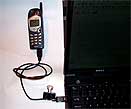
| Me: | I am looking for the data cable (or a work-around) that connects the Nokia 5165 to the Viking PC CARD in my notebook. The old cable broke and I can't find a new one. | |
| Viking: | Thank you for using Viking components online support. You can purchase these cables from The Supply Net (800-826-0279). | |
| Me: | The only thing I can find at http://www.thesupplynet.com/
that even comes close is the Nokia: 5120, 5120I, 5160, 5160I, 6120,
6120I, 6160, 6160I, 6161, 6161I, 7160I (Works With King of Heart and
King of Club cards ONLY!) ........... TR14082 $44.95 I have a Nokia 5165, which is not in that list. They do not provide a photo, so I cannot check it out visually. I have a Viking Cellular-Ready 56K PC Card Modem, which I don't believe is a King of Heart or King of Club card. Do you have a manufacturer and model number for this data cable? |
|
| Viking: | The Viking part number for the Nokia cellular cable is 5009040. | |
| Me: | Found it at Amazon. Thank you. The part number entered into Google brought up all sorts of options. Until then all variations of search words such as Viking, PC card, Nokia 5165, data cable got nothing, including the links to Amazon and others listed on your Viking Cellular-Ready 56K PC Card Modem web site. Thanks again. |
|
Ositech King of Clubs pccard modem kit 01/01/03 with shipping: www.us.buy.com: $114. www.discountcell.com: $144 (not a typo). 11/21/02: Reader Jennifer S. of Austin provided the following information: |
| JS: | I like your page about the cell/notebook connection - very informative. I just bought a notebook and I am going to get a cell modem card (King of Clubs by Ositech) for my Nokia 5165, but what did you use to mount the phone to the display of the notebook? | |
| Me: | I
attached the phone to the edge of the lid with a strip of Velcro and
contact cement. However, eventually that fell apart and turned out to
be something of a nuisance. For a year or so now, it has not been
attached at all. I just lay the phone down nearby and everything works
fine. Let me know how the Ositech card and service work out. I'll add that to the article. | |
| JS: | 12/16/02:
I have been using the cell modem and it has worked out well for me. It
is sometimes slower than dial-up, but it gets the job done. I think two
times during the past three weeks, I have had trouble connecting or
staying connected and that was due to the phone and/or service. It was
very easy to install and easier to use. The only glitch in the installation was when the modem software went through the configuration and testing process. When it got to where it called out to make sure it would work, it failed. So, I closed the testing process and went to the instructions. I am currently using AOL and apparently AOL is different than any other dial-up as far as how the internet connection is configured; there were separate instructions for AOL users. Once I went through that configuration, everything worked fine. | |
| Me: | How will you be putting this setup to use? Travel? Sales? Archeological digs? Or just because it is cool and unfettered? | |
| JS: | Cool and unfettered is right up my alley. I like to sit anywhere I want and use my computer without worrying about cords and cables. I also travel about 4 days every two weeks - I can stay connected when away. | |
| Me: | 12/31/02: Your review is online. What cellular service provider are you using? I would like to include that. Have there been any further developments? | |
| JS: | 01/02/03: I am using AT&T. So far, things are working fine. The only downside to my setup is AOL, but since it is free for a year, I will suffer through. I have had to go through AOL's modem setup a few times, apparently it gets confused every once in a while as to which modem to use - don't ask me why. Other than that the cell modem works great and my cell phone and service have also worked without any problems. |
|
Q&A, Commentary, etc: |
|
|
October 25, 2001: Received $40 rebate from Nokia. Still waiting for the other $40 rebate. |
|
|
October 28, 2001: Extracted from the Nokia web site: |
|
|
|
|
|
Q: I want to connect my Nokia phone to my computer. Which phone models are data compatible? |
|
|
|
|
|
A. Your Nokia phone must be data compatible to connect to a laptop PC. Some Nokia models may require additional accessories for data communications. This feature is available only if your service provider's network supports data and fax services. A subscription to these services may also be necessary. Please check with your service provider prior to making or receiving data or fax calls. |
|
|
|
|
|
Nokia 636, 638, 918, 2170, 2180, 3390, 5170, 5170i, 5180, 5180i, 5185i, 8260, 8860: these models are not data compatible. |
|
|
|
|
|
Nokia 2190: The data accessories for this model have been discontinued and are no longer available. |
|
|
|
|
|
Nokia 5190 and 6190: These phone models use the Nokia Data Suite software package to make a data connection. The Nokia Data Suite 3.0 is compatible with most PCs running Windows 95, 98, or NT 4.0 (an upgrade patch for Windows 2000 is available for download from our Web site). Data Suite 3.0 allows you to send faxes, check email, connect to the internet, import or export information from MS Schedule+ or MS Outlook 97/98, and file, edit forward and reply to your text messages. You can also use Data Suite 3.0 to compose your own ring tones and create special graphic logos. This package includes the software and a data cable. This accessory can be ordered on the NokiaUSA Web site or by calling the NokiaUSA Hotline at 1-888-256-2098. |
|
|
|
|
|
Nokia 6185: Prior to purchasing your data accessories, please contact your service provider to verify their network will support "digital" data and fax calls. The DLR-3 Data Cable and software is needed to make a data connection between your computer and your 6185. To order this cable and software, please call the "Nokia Original Accessories" Hotline at1-800-204-2567. |
|
|
|
|
|
Nokia 7160 and 7190: These models use either the infrared port or the DLR-3P Data Cable to make a data connection. The DLR-3P and necessary software are included with the phone. Please review the "PC Connectivity Guide" on the 7160 and 7190 Web pages for more information. |
|
|
|
|
|
Nokia 8290 and 8890: These models use the Nokia PC Suite to allow for a data connection. Please note that the data connection is made through an infrared connection between your phone and your computer. There is not a data cable option for these phones. Please review the "PC Suite" information on the 8290 and 8890 Web pages for more information. |
|
|
|
|
|
Nokia 5120i, 5160i, 6120i, 6160i, 6161i, 6162i: Please contact your service provider to verify if their network supports "digital" data and fax calls. If their network supports "digital" data, please call the "Nokia Original Accessories" hotline at1-800-204-2567 to order the DLR-3P cable and software that is needed to make a data connection between your computer and your phone. If your service provider does not support "digital" data, please see the information on the "analog" data solution below. |
|
|
|
|
|
Nokia 232,252,282,2160, 5120, 5120i, 5125, 5160, 5160i, 5165, 6120, 6120i, 6160, 6160i, 6161, 6161i, 6162, 6162i: These models can transmit data via analog networks. However, the data connectivity solution accessories are not manufactured, warranted, endorsed or supported by Nokia. The third party vendors 3Com (data cable) and US Robotics (PCMCIA card) provide one of the data connectivity solutions available. For more information about the data cable, please contact 3Com at 1-800-846-2233 or please visit their Web site at www.3Comparts.com . For more information on the PCMCIA card, please contact US Robotics at 1-866-287-7669 or please visit their Web site at www.usr.com. However, please note that Nokia does not officially recommend or endorse these companies; assumes no liability for their services or products, including for direct, indirect, incidental, special or punitive damages; and, specifically disclaims all warranties, whether express or implied, related thereof, including, but not limited to, the implied warranties of merchantability and of fitness for a particular purpose, to the extent permitted by applicable law. For purposes of clarity, Nokia affirms that it assumes no responsibility for any problems you may encounter in connection with third party services or products, such as, for example, in ordering or receiving accessories. |
Note: Viking (see above) also provides the requisite hardware for this connection. |
|
|
|
|
The dual-mode (analog/digital) phones noted above are data compatible only on analog networks. At the service provider's request, some Nokia phones have been programmed to always default to digital even if analog service is available -- only if digital service is not available will the phone then automatically switch to analog. As a result, BEFORE purchasing any data accessories, it will be very important to contact your service provider to verify that they will allow access to analog service in areas where you want to use your Nokia phone for data applications. You may also want to disable the Call Waiting feature on your phone to prevent interruptions during data transmission. |
|
|
|
|
|
Due to the bandwidth limitations of the current analog cellular networks, the maximum transmission speed of our phones is 9600 bps. However, please note that although faster connections are technically possible, the nature of the wireless channel means connection rates of only 1200 to 4800 bps are common. If you are planning to use the data connection to access the Internet, please contact your Internet Service Provider to verify if they will support this slower transmission speed. Some Internet Service Providers will have an alternative connection number for customers with a slower transmission speed. |
|
|
|
|
|
Q: Is it possible to share contact information, such as an address book, between my computer and my Nokia 5100 or 6100 series phone? |
|
|
|
|
|
A. You can share your personal computer contact information with the Nokia 5100 and 6100 series phones using FoneSync software. FoneSync enables you to download names and phone numbers from your computer to your Nokia phone from programs such as: |
|
|
|
|
|
Microsoft Outlook |
|
|
Outlook Express |
|
|
Symantec ACT |
|
|
Lotus Organizer |
|
|
|
|
|
Internet/Intranet Web |
|
|
For more information or to order the FoneSync software and data cable accessory, visit FoneSync or please contact them by phone at 1-888-777-6820. Please note that the DAU-9P Nokia data cable is required for the Nokia 5100 and 6100 series phones. I have hundreds of names and addresses in my MS Address Book. I'm not sure I would want all of them in my phone. Perhaps FoneSync allows one to select from the list – probably does. Actually, if that is so, it would be a heck of a lot easier and quicker then entering them one by one – spelling names and email addresses is definitely a hunt and peck situation. For instance, to type a "V" you first have to verify that it is set to upper case, then you hit "8" three times in succession quickly – if you're too slow then instead of a "V" you get "TTT". Now, if you want "TT" you hit the "8" twice with a pause in between. Got that? |
Note 6 months later: |
|
|
|
A day in the life of ... Fri 8/24/2001 2:45 AM: email to my sister: This
morning when I woke up at 7:00, the first thing I did was put on my
shorts and loafers and, not even having had my first coffee and smoke,
grumbled/stumbled on down the street looking-searching-seeking through
my still foggy head for the source of the music that was playing LOUD
and had been doing so when I went to bed about 1:30 and had been doing
so for about a month or so. |
|
|
11:00
am arrived and I got my first beer in preparation for my noon nap. As I
popped it open, another FedEx truck rolled down the drive by my office
window. She handed me our new AT&T-Nokia cell phone package. I
gleefully carried it back into my office and opened it and examined it
and plugged it in to get the 24 hour requisite charge going and began
reading the reams of literature that came with it.
|
|
|
As
I was drinking my beer and reading about the great quantity of amazing
combinations of detail that would allow this tiny little phone to do
just about anything, wondering how the heck I would remember them all,
a UPS truck rolled down past my window. I thought "Oh no - it must be
Hannah's Rewritable CD drive birthday present and I've been wanting one
for so very long - but I'm doing the cell phone now and Christ I'm
getting overloaded - I can't handle two nirvanas at the same time, so I
stayed in my chair determined to finish the phone first, knowing the
UPS guy will leave it on the step. |
|
Portable Power |
|
|
The
object is to be totally independent of household AC - just you, your
cell phone and a notebook – but you still have to charge the
batteries. The assumption is that you are going to be away from the
public grid for an extended period of time. It is also assumed that you
do have a vehicle of some sort - or you are able to lug along a
generator, or at least a solar panel, or a maybe hand pumped generator. Note 6 months later: I'm doing that now. |
Though this essay was begun in late October, it is now 7:00 am on November 5 – two days ‘til departure. However, I have yet to receive the funds from that stock I sold to finance this trip, and I am still waiting for the spare inner tube I ordered for the trailer (7.00-16; very rare), and I have to get the van inspected - and a hurricane is threatening to head this way – so, life is interesting! 9:30 am: the funds are in my account & the van passed. |
|
An assortment of power sources: These items are packed, loaded and ready to go: · A 5000 watt DeVilbiss gas generator with a 10 gauge 100 foot extension cord; · A charger for the cell phone that plugs into the cigarette lighter receptacle; · A powerful and new 900 amp battery in the van; · A trickle charger that will charge the van's battery from the gas generator if we use the van's battery up; · A battery charger that charges standard size batteries; · A UPS and a couple of surge suppressors to keep the power clean. · A number of small propane tanks, stoves, lamps and heaters; · A 10 watt 16 volt Solar Panel to experiment with when I get the chance;
Down the line, I plan to add:
· Heavy duty deep cycle batteries. These hold a charge longer then an equivalent car battery; · A more powerful alternator in the van. The Statpower manual says the standard alternator does not fully charge a battery; · A wind turbine to charge a bank of deep cycle batteries. We have plenty of wind in JT. · A series of solar panels, likewise to charge a bank of batteries. · A California rebate. They pay you to install these kinds of things. |
Note 6 months later:
|
|
|
|
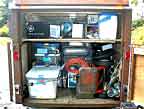
Balancing a trailer load (if you don't have a load to balance, you can skip this): The generator is heavy, but I can move it around with my two wheeled hand truck or 4 wheeled dolly. It is firmly anchored just slightly forward of the center of my box trailer – actually forward of the axle; not necessarily the center. When a trailer is fully loaded, it's weight must be balanced slightly forward of its axle so that it will remain firmly rested on the van's hitch, without bouncing too much when it goes over a bump in the road. At the same time, it must not add too much weight to the rear of the van – one should be able to lift the tongue off the hitch without much effort, so balancing the load is critical. Of course, it must also be balanced side to side. If not, then it would tend to pull to one side as you tow it; it would be trying to turn in a circle while you are trying to pull it straight ahead. This could jerk the van's undercarriage and body out of alignment and/or at least, make for an uncomfortable ride. It could also wear all 6 tires unevenly, or even pop the one on the trailer's heavier side. It would also be inclined to tip over on that side when you are turning into the sloped curve of a winding road. For that reason, heavier items should also be on the floor to keep the center of gravity low. (A trucker has to deal with this balancing act every time he takes on a load). The
generator, being the heaviest and the largest item, had to be loaded
first and firmly anchored; I do not want it sliding around as we
travel. Centering the weight side to side is not too difficult, but I
suspected that it might need some adjustment forward or backward later
on. Therefore, I could not just bolt it directly to the floor. |
|
|
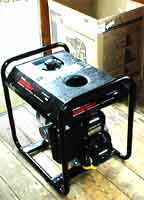
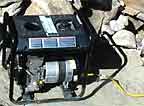
The Generator: A note of caution: this information is based on what I've learned through extensive research, general lifetime experience, sitting there and staring at these things, and pure biased adulterated assumption – almost no hard first hand experience. That will come, shortly. Keep that in mind if I get to sounding like I know what I'm talking about. Our new DeVilbiss gasoline electric generator is an impressive looking machine, and 5000 watts is a lot of power. I bid for it on eBay in a "Dutch auction" meaning the seller has lots of the same item, states his minimum starting bid, you bid that amount and that is what you will pay, plus shipping & handling. You are not really "bidding" since nobody will bid against you; they will "bid" on another one. However, you will tend to get a better price (including s&h) then just about anywhere else. This is a 5000 watt generator that can absorb an initial surge of 6250 watts. That means that when you plug something into it, like anything with a motor, and turn it on, that appliance may safely pull up to 6250 watts at first, and then settle into an even running pull of 5000 watts or less. There are not too many household items that will pull that much, especially if they are "Energy Star" compliant. An air conditioner can surge to about 4500 watts when it kicks on, and then settle into a steady pull of about 1500 watts (or more). To determine what can be plugged into the generator, add up all the wattages (see charts below) to verify that they do not exceed 5000 watts when running at the same time. For instance, five 100 watt bulbs would pull 500 watts if they are all on at the same time. Add in a fridge (750), water pump (560), fan (575), TV (250), microwave (800), and a heater (1800) and you get a total pull of 5235 watts – so make sure they are not all on at the same time. Also, those wattages are approximate; read the plate on the back or bottom of each item to see what its actual pull will be. Some items, such as a computer and a TV are sensitive to power fluctuations so should not be plugged directly into a power source of any sort. They should go through a good UPS (Uninterruptible Power Supply), which may then be plugged into a good surge protector such as the better power strips sold with computers. That then gets plugged into the generator, perhaps through a heavy duty 10 gauge extension cord. The less sensitive items can also be plugged into the power strip along side the UPS. Do not plug anything in until the generator is running smoothly. If it runs out of gas, unplug everything before you start it up again. That makes sense. The instructions also tell you not to add gas while it is running. Right! The generator is going to be noisy and noxious, so I plan to put it as far from the house trailer, down wind, as I can get it. I hope the wind direction doesn't change too much. I have a 100 foot 10 gauge extension cord for that purpose – 10 gauge is about 5/8 inch thick, and you don't want any less then that for a cord that long. Even then, it will loose some power over that length. This will probably mean a fair amount of running back and forth, probably in the dark, to gas up the generator and check the oil. The generator requires good ventilation and yet it should not get rained on, so I plan to built some kind of louvered enclosure with a roof, with the louvered slats placed such that the noise that bounces off of them will bounce away from our living quarters. It will also sit behind a few big boulders, which I have plenty of. My only other consideration is to make sure the noise isn't aimed towards a neighbor, but they aren't all that close, as of yet. On the other hand, that peaceful environment is noticeably quiet, so any sound travels a long ways. We'll see. I plan to use the generator as little as possible, for that and other reasons, which is why I brought along a few other sources of power, though of lower wattage. The ideal situation is to have a bank of deep cycle 12 volt batteries which can be charged by the generator and/or solar panels and/or a wind turbine, etc.. The battery bank would then supply power directly to all DC devices such as anything that could be plugged into a cigarette lighter and appliances designed for use in a trailer or RV. It would also supply power to an inverter which would convert the 12 volt DC to120 volt AC to run normal household devices. A deep cycle battery holds its charge longer then a car battery, even though they look the same. A car battery is designed to provide a surge of immense power to start the car and consequently looses its charge quickly. The car's alternator recharges it when the engine is running. A deep cycle battery probably would not start a car. You can put a deep cycle battery into the car along side the car battery and then run low wattage devices directly from it, through an inverter. The alternator will charge both batteries as long as you install an isolator between them to send the charge to whichever battery needs it. |
|
|
|
|
|
6 months later: Basically, I had it right, though it was less involved then I had expected. The noise was not too bad – similar to the noise of a lawn mower. In that regard, the oil level made a difference. If it got too low, the thing got louder. Now, the generator cuts off if the level gets way too low, so I'm talking about a level above that – keep it reasonably full for less noise. In this generator, it is hard to tell what "full" is, so I just filled it until it looked like it was about to spill over the rim. In that six month period, it only cut off once due to a neglected oil level. On the other hand, we did not use it a heck of a lot until the last week or so. We would use it to charge the van's battery when the inverter pulled too much out of it, and to run the Shop-Vac or the occasional saw. Otherwise, we preferred the quiet. We could have used it to run the microwave or a heater, but we didn't. Under these conditions, a tank of gas lasted 3 or 4 months. In the end, when I was running it nearly full tilt for a few days to power the belt sander and the Shop-Vac, as I carefully sanded the sides of the trailer and then the entire interior, in excess of 800 square feet, it ran out of gas once. The generator was not noxious; I do not recall noticing any fumes. In time, that may change; we'll see. It was a smooth running machine and it always started on the second pull, or the first if it had been running recently. It did not move around, as some devices do with vibration; it remained exactly where I placed it. |
|
|
Initially I kept it covered with a small fiberglass tarp which I would shove aside when running the generator. However, at some point for some reason, the tarp came into contact with something hot even though I was careful to weight it down with rocks. It smoked and melted at that contact point. From then on, I just covered the machine with a small sheet of plywood and a heavy rock on top of that. With an adjacent wall of rock serving as a wind (and sound) baffle, it stayed dry in the rain and relatively cool in the sun. One word of caution: put a 2x block of wood on top of the gas tank under the plywood and rock to keep the plywood from blocking the vent hole in the gas cap. Otherwise a powerful and dangerous vacuum will build up inside the tank. |
|

|
The Inverters: You may have never heard of an inverter, or you may think it must be some esoteric device you wouldn't know what to do with. It is in fact a great, relatively inexpensive, way to get some nice clean AC power. The smaller one is easy; you just plug it into a cigarette lighter, turn it on, run an extension cord, and you have power enough for a casual evening of light to read by or power to charge your notebook and cell phone. When the car battery begins to get too low, the inverter cuts off automatically. Then you switch to the propane devices, flashlights and candles – or go to bed. Those that provide slightly more power come with alligator clips that you can bravely attach to the battery posts. The more powerful ones are hard-wired directly to the battery with cables you buy separately and attach to the side or top posts like any other battery cable, 6 gauge or larger, ideally 48 inches or less, and cut on the inverter's end for insertion into a pair of female receptacles at the rear of the inverter. If you want it conveniently available inside the car (it needs to be clean and dry anyhow), then you will need to drill 2 holes in the firewall of the vehicle and insert rubber grommets into those holes before you run the cables through them. I had a heck of a time just finding a good spot in the firewall that I could drill holes through. Of course, the more powerful the inverter gets, the more powerful the battery should be. To begin with, if you are going to use that battery for anything other then normal usage, then you want a good one – not the cheapest. Where your standard battery might put out about 540 cold cranking amps, you should be thinking more along the line of about 900 amps. Your lights and devices plugged into the inverter will stay on longer. If you are going for the more powerful inverter, then make sure your battery has an extra set of top posts or side connectors. You can add a second battery under the hood just for the inverter, so you won't need to mess with the battery that starts your car. In that case, you'll have to figure out where you will attach the 2nd battery's tray. That can be a trick – you don't want it or the cables getting in the way of things that need to move around, like carburetor levers, belts, fan blades, etc.. You also probably don't want your mechanic cussing you out when she opens the hood. So you may want to get a bigger car – or truck. Remember the alternator. It charges the battery when the engine is running. With a 2nd battery, you will also need to get an isolator (not expensive) to direct the alternator's charge to whichever battery needs it. On the other hand, you might attach some solar panels or a wind turbine to the roof of the car and let them charge the 2nd battery – but lets not get into that. If you are going to add a 2nd battery, then get a deep cycle battery – the kind used in golf carts, fork lifts and boats, etc., but 12 volt; not a 6 or 24; more DC devices are designed for 12 volt. It's charge should last longer then that of the car battery because it doesn't have to start the engine. It costs about the same. Another consideration is the sine wave output, or frequency. The sine wave is what you see when you watch the screen on an oscilloscope sitting on the bench in an electronics lab. Some waves are square; some are curved. The standard variety inverter that most people, including myself, buy because it is a lot cheaper does not produce the same sine wave that is produced by household AC. As to whether this matters depends on what you plug into it. Most devices, including computers, will work fine on this inverter, but don't bother plugging in a UPS (Uninterruptible Power Supply) because the UPS requires the sine wave of household AC, or of the more expensive high end inverter. This is the inverter used in the better solar powered home systems. Since you have to unplug everything from the inverter when turning it on and/or starting the car's engine, a UPS would be useful here because it would maintain a steady voltage during such fluctuations of power. |
|
|
6 months later: We lived in that van for nearly six months. The inverter was a life saver. The 600 watt Statpower Portawattz inverter kept the computer charged, the cell phone, my electric shaver, a charger for the camera & flashlight batteries and the charger for my portable drill. It also powered the camera's adapter when uploading pictures to the computer. I did try a low wattage microwave, but the inverter cut out on that. Where additional power consumption is concerned, I occasionally plugged a powerful search light into the cigarette lighter receptacle and we used the interior lights of the van every night for two to four hours. The inverter had no problem with all this (though they were not all used at the same time), but the van's new 900 watt battery did if not recharged by driving on the following day. There
is more on this in my journal at the "Joshua Tree, November
2001 to May 2002" area of this web site. You may find it
interesting to see how this related to our general living conditions.
Click on
https://www.blakeman.net/_VA/CA/JT/2001-11/Journal/News From Joshua Tree.htm. · The inverter has 3 outlets on the front, but they are so close together that you cannot plug in 3 devices at the same time if one of them is an adapter. In that case, I plugged an extension cord into the inverter and then the adaptor into it. · When
the battery begins to get too low to start the vehicle, the inverter is
supposed flip on its red light, squawk at you, and disengage. It would
do that, but by then it was too late. You kind of have to sense when it
is getting too low, by how dim the interior lights are getting, and
start up the engine to recharge the battery. As a rule, I generally
found that I was good for one evening of interior lights, the computer
and the phone. · If
the inverter overheats, it will cut off. It contains an internal fan so
normally it will not overheat. The problem occurs when the
van's heater is blowing directly onto it. The inverter is
supposed to be level and must be within 4 feet of the battery. This
really limits where you can install it. The only place I found that
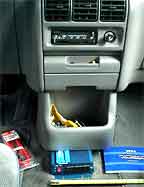
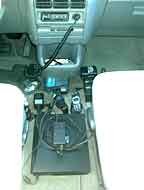
would not put it underfoot, was on the floor under the center console.
It projects out about 2.5" from beneath the console and is
attached to the floor with sheet metal screws. It was a trick getting
the console out, but then it was good to be able to stick it into the
dish washer. This is also where the heater throws its floor heat. I had
to remove the bottom directional vent of the heat supply to get the
inverter in there. Therein lies the problem; the heat comes down
directly on top of the inverter. The only way around this, when the
inverter is actually in use, is to turn off the floor vent and get your
heat out of the dash vents, which leaves your feet cold unless you put
them up on the dash. · Occasionally I found that the inverter would not start right up. This began after a couple months of using it nightly. It would kick on, but not get up to speed right away. You could tell by the sound of the fan that it was struggling. I tried all the tricks such as tapping it, kicking it, cussing at it, or flipping it off and on, but nothing seemed to really help; you just have to sit there and wait until it spins up to speed. Then you plug everything into it. (I did not try spitting on it.) · Other then that, the inverter works fine in spite of all the desert dust that probably blew through it (which, come to think of it, could be the reason for the above) and the cup of hot coffee that recently spilled directly onto it. The latter occurred on the final night of the return trip east, so I was too dead tired to care and it was no longer needed anyhow. I waited a couple of weeks before I tried it out. Never the less I will disconnect it, open it up and see what I can clean.
Nearly 2 years later: It is September of 2003 and in a couple of months I will return to Joshua Tree for a 3rd year, but with a new 1000 watt inverter. All considered, I would say my 600 watt Statpower Portawattz inverter gave me a good run for the money. I drove it into the ground with some pretty heavy usage and it still works, almost. What I described a few paragraphs up was reason enough to replace it then, but I did not. During this last visit from January to April of 2003 it became increasingly more difficult to get a clean signal. At some point I quit waiting for it to get up to speed because I found that it still provided enough AC to power the things I needed to power even when it sounded kind of limp. It also developed a low grade smell of hot electronics, but it kept on working. I know; I should have quit long ago but I was short on cash and needed the power it did provide as long as it kept on working. I took a reading of the voltage and found that it was putting out 102 volts, not 120. Apparently this was enough for the notebook, the cell phone, the shaver, charging the power drill batteries and certain flashlight batteries. It would not charge the camera batteries for either my HP or my Kodak digitals, but the latter also seemed to have just quit working at all. However, I found that it would power the HP's adapter directly, so I found myself dragging a long extension cord behind as I roamed within 50' of the van taking pictures of my projects. Yes, I was desperate, but my power needs were still being met. I was also dealing with a number of other matters at the time, like replacing the self-destructing van with another vehicle to take us back east in a few days, so I could not really give it the time and effort needed to properly assess the situation. It worked – good enough – on to the next thing – and hurry. There is more about this in the journal written at the time or soon after.
A couple of weeks ago, I purchased a new Tripp Lite 1000 Watt Power Inverter (PV-1000HF) on eBay for $180 including shipping. It sits unconnected in my new car waiting for me to get the time to install it which is partially delayed because I am not entirely settled on where I will put it. This will require the temporary removal of a number of plastic panels and other things just to determine where I will run the cables through the firewall. The only really convenient spot for the inverter will mean removing part of and diverting the central floor vent from the ventilation system, without destroying the value of the car. A heater vent should never blow onto an inverter but I think the movement of air near but away from the inverter could be a good thing. The car will also need a new high amp battery to handle this powerful new inverter (and start the car) - and perhaps a new alternator. The existing system is about 11 or 12 years old and it does seem a bit on the weak side. The car's manual also warns against connecting devices to the car that might confuse its onboard computer. I'm not sure whether or not an inverter fits into that category, so I'll be asking around and keeping my senses tuned for such a possibility.
(June, 2004: until I update this section, you can read about some power developments at the 2004 Journal.)
|
|

|
Spikes, sags, surges, outages & noise: Though the following concerns normal household AC, these disruptions will certainly occur when generating ones own power by whatever means. Proper safeguards must be an integral part of any power system, or the appliances will burn out. Q: Can I increase the overall surge protection by placing an additional suppressor in line with my UPS?
A: All Tripp Lite UPS systems already have surge suppression built-in. However, if you are in an area that experiences frequent or intense power surges, you may place an additional surge suppressor in line before the UPS system in the power chain. Never plug a surge suppressor into the output of any UPS system.
More such Q&A can be found at TrippLite FAQ. "Power surges
are an increase in the voltage that powers your electrical equipment.
Surges can go unnoticed, often lasting only 1/120th of a second, but
they are much more common and destructive than you might think.
According to recent studies, your electrical equipment is constantly
experiencing surges of varying power. Some of them can be absorbed by
your power supply while others can only be handled by a quality surge
suppressor. The most destructive power surges will wipe out anything
that gets in their way!" |
|
Which Power Source For Which Load: A good explanation and diagram on how to tie all these devices together is "Backup Power Systems" by Global Environmental Energy Technology of MD, 1/11/2001. there are also good articles in the |
|
||||||||||||||||||||||||||||||||||||||||||||||||||||||||||||||||||||||||||||||||||||||||||||||||||||||||||||||||||||||||||||||||||||||||||
* Never
use Charcoal or White Gas (Coleman Stove, Light, etc) indoors. As they burn, they produce vast amounts of carbon monoxide, which is a
deadly odorless poison. Van's note: Install a
carbon monoxide detector
* Important Consideration: Motor
starting is another consideration, depending on the efficiency of the
motor, it will require up to 2 times the running watts to start, or up
to 4-7 times the running watts for motors with a load on them during
the start, for Air Conditioners, Air Compressors, Pumps,
Refrigerator/Freezers, etc. |
|
||||||||||||||||||||||||||||||||||||||||||||||||||||||||||||||||||||||||||||||||||||||||||||||||||||||||||||||||||||||||||||||||||||||||||
 .
.
|
|